Find them. Then make something out of them.
PixReel plays your camera roll full-screen like a feed. Swipe to keep, swipe to bin, one tap to share. It groups what's left into the trips you actually took — and turns any of them into a reel that cuts on the beat, with a caption written on your own device.



Photos is built for finding things. PixReel is built for getting rid of things — the part nobody ever does because scrolling a grid and tapping trash is miserable.
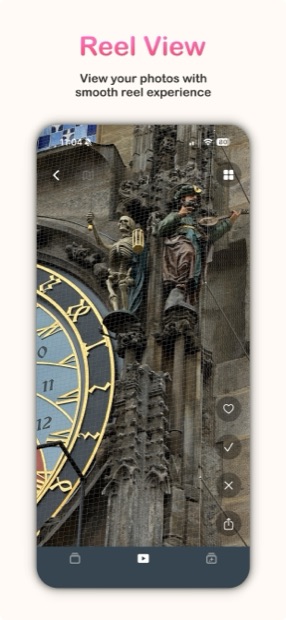
Every photo and video plays edge to edge, vertically, the way you already look at everything else. Videos scrub smoothly under your thumb instead of stuttering.
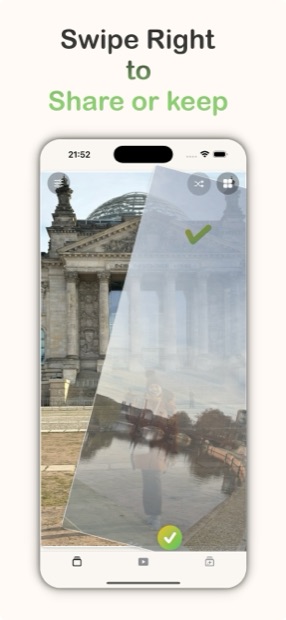
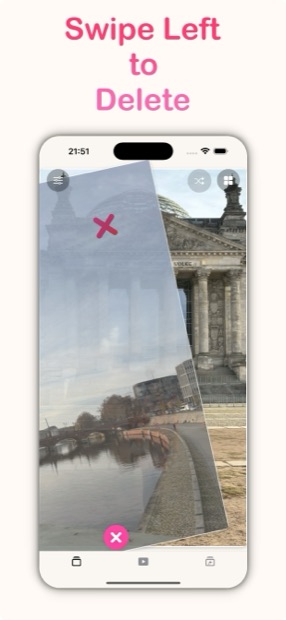
Right to keep, left to bin, tap to share. Deletions batch up and go to Photos' own Recently Deleted, so nothing is ever really gone until you say so.
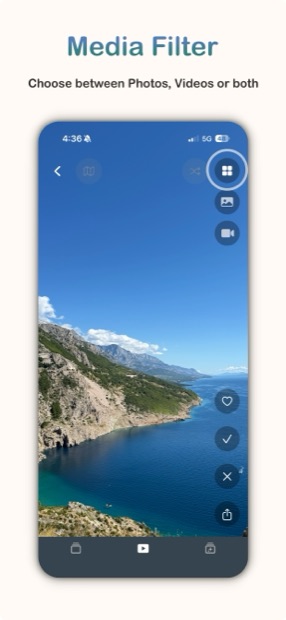
Filter by media type or date range before you start, so you can attack last summer's 800 videos without wading through everything since.
Add folders from the Files app — an SD card import, an AirDrop dump, a shared album you exported — and PixReel treats them as their own reel-ready collection, without copying anything into Photos first.
PixReel reads your library through Apple's Photos permission and does all its work on the device. There is no PixReel account and no server holding your pictures.
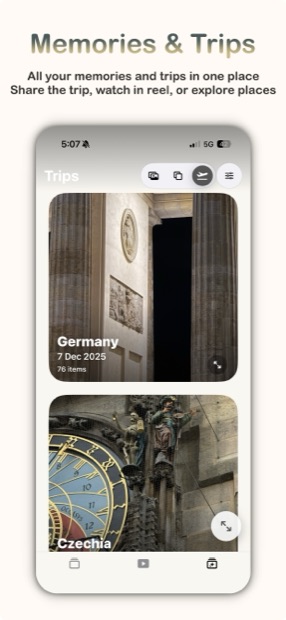
PixReel reads the location and timestamps your camera already wrote and works out where one trip ended and the next began — in the background, while you're not using it.
No albums to create and no tagging to keep up with. Three days in Lisbon become "Lisbon", with the right photos in it, because that's what the metadata already said.
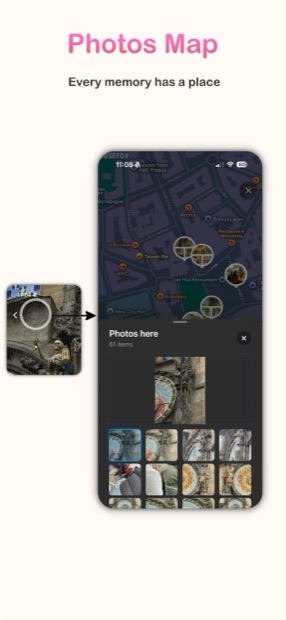
See every trip laid out geographically and jump straight into one — a nicer way in than a list of dates.
Each trip becomes something you'd actually revisit, and any of them turns into a reel from the same screen.
Pick a trip, pick a track, and PixReel assembles the whole thing. Then every choice it made is yours to override.
PixReel analyses the track you choose — finding the onsets, the tempo and the downbeat — and places every cut on the grid. Clips drifting against the music is the clearest tell that a reel was made by a machine, so it doesn't happen here.
Whip pans, zoom blur, glitch, light leaks, page flips, luma melts, kaleidoscope, film burn, star and diamond wipes — plus the plain cut, for when the plain cut is right.
Vision looks at what's actually in the frames — waterfall, beach, snow, night — and Apple's on-device language model turns that, plus where and when you were, into a line of copy. Nothing is uploaded to write it.
Browse whole looks with a poster and a preview to watch before you commit, or let PixReel match a style to the footage it's working with.
Transition packs and templates arrive over the air. No App Store update, no waiting for review — the picker just has more in it next time you open it.
Leave a reel half-built and come back to it. Your edit survives closing the app.
PixReel reads your library through Apple's own permission. Nothing is copied and nothing is uploaded.
Keep, bin or share, full-screen and one-handed. Filter by type or date first if the library is huge.
PixReel has already grouped what survived into the trips you took. Pick one worth showing people.
Choose a track and a look. Cuts land on the beat, the caption writes itself, and it exports ready to post.
The free app is the whole app — Premium removes the caps on the things you'd do a lot of.
Reel view, swipe triage, trips and memories, the map, filters and Reel Studio. Swipes are capped per session and deletions go up to ten at a time.
Unlimited swipes. Delete more than ten at once. Share trips and memories. Add folders from Files. Subscriptions renew unless cancelled; the lifetime purchase doesn't.
No. Deletions go through Photos' own delete flow, which means iOS asks you to confirm and the items land in Recently Deleted for 30 days. PixReel can't quietly destroy anything.
No. There is no PixReel account and no server that holds your library. Trip detection, beat analysis, caption writing and video rendering all happen on your device. The only thing PixReel downloads is new transition and template packs, and those come to you — nothing of yours goes out.
From the location and timestamps your camera already writes into each photo. It looks for runs of pictures taken away from where you usually are, and breaks them where there's a real gap. The scan runs in the background and picks up where it left off, so a large library doesn't have to be processed in one sitting.
Only for the written captions, and even then it degrades gracefully. If Apple Intelligence is off or your device isn't eligible, PixReel falls back to captions informed by what Vision recognised in the frames, and then to text built from the trip's place and dates. The reel always gets a title.
Yes — add folders from the Files app and PixReel treats them as their own collection, ready to browse and turn into a reel. That's a Premium feature.
Free sessions cap how many swipes you get, and the counter resets each time you open the app. Premium removes the cap entirely.